Crypto Mining Software 101: Best Tools for Mining in 2026 (Beginner Guide)
 Zamy
Zamy
When people first hear the word mining, they often imagine a simplified picture: buy a graphics card or an ASIC, plug it into the wall, and money starts flowing automatically. In reality, things are far more complex. Hardware alone does not mine anything. Without specialized software, it is just an expensive space heater.
Mining software is essentially the “brain” of the entire system. It connects three key elements: your hardware (ASIC or GPU), the mining pool, and the blockchain itself. Using a real-world analogy, the hardware is the engine, the blockchain is the road, and the mining software is the driver with a GPS — it knows where to go, how fast to move, and when to slow down to avoid damaging the engine. This software is responsible for:
- sending calculated shares to the mining pool,
- managing hashrate, fans, voltage, and frequencies,
- displaying statistics, errors, and overheating alerts,
- helping optimize profitability and electricity consumption.
Without mining software, you cannot connect to a pool or even understand whether you are making money or losing it.
Before going further, here is a short glossary that will be useful throughout the article.
- Hashrate is the speed of calculations.
- Algorithm refers to the mathematical problem the miner solves.
- Pool is a group of miners combining power for stable payouts.
- Firmware is the operating system of an ASIC miner.
- Share is proof of completed work.
- The configuration file contains the miner’s settings.
Types of Crypto Mining Software
ASIC Mining Software (Bitcoin, SHA-256)
When we talk specifically about Bitcoin, we are almost always talking about ASIC devices — specialized miners designed exclusively for the SHA-256 algorithm. Unlike a regular computer, an ASIC does not run standard Windows or Linux programs. All of its logic is embedded in firmware — special software that defines how the device mines.
Firmware is effectively the “operating system” of an ASIC miner. It controls chip frequency, voltage, fans, temperature limits, protection mechanisms, and autotuning. Firmware quality affects not only hashrate, but also the lifespan of the device. Good firmware enables stable and efficient operation, while poor firmware can lead to overheating, crashes, or even permanent hardware failure.
By 2026, the market has matured, and miners have several well-established options.
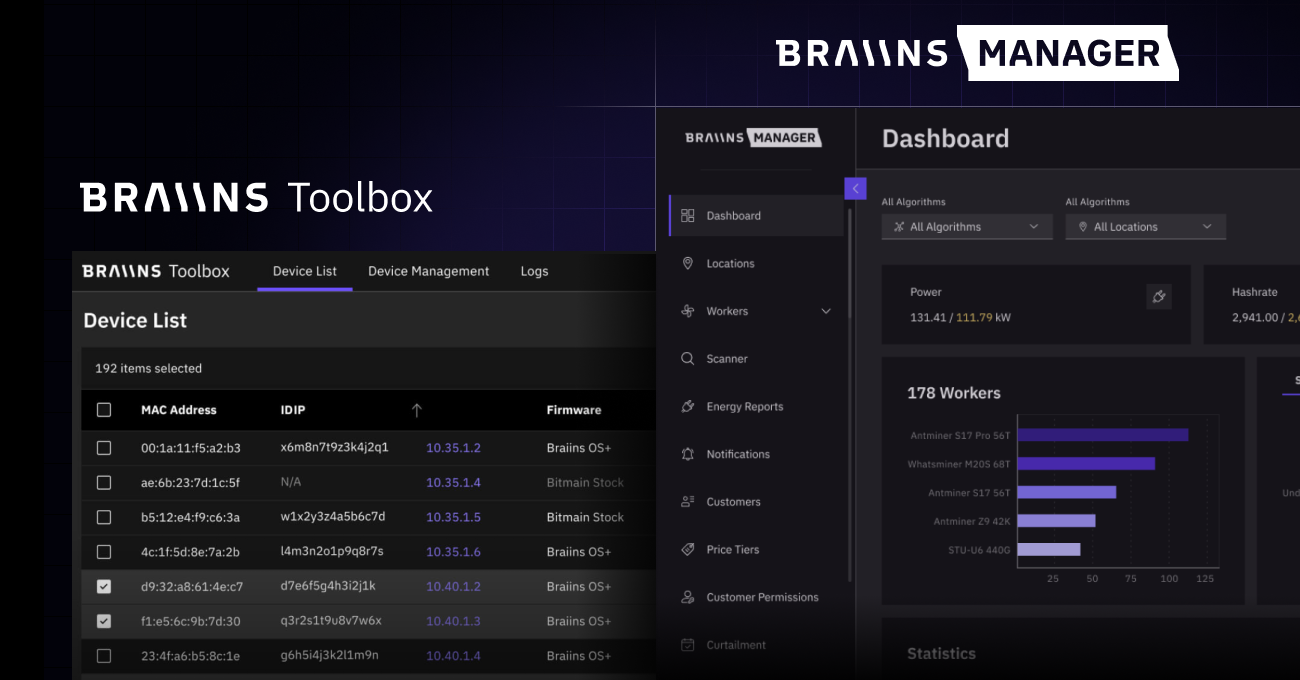
One of the most popular solutions remains BraiinsOS+, an open-source firmware developed by the Braiins team, also known for the Slush Pool mining pool. BraiinsOS+ focuses on energy efficiency and autotuning, allowing miners to reduce power consumption without significant hashrate loss.
For those who want to maximize performance and prefer a more user-friendly interface, VNish is often the choice. This firmware is popular among Antminer and Whatsminer owners because it offers flexible settings, overclocking profiles, and clear performance statistics.
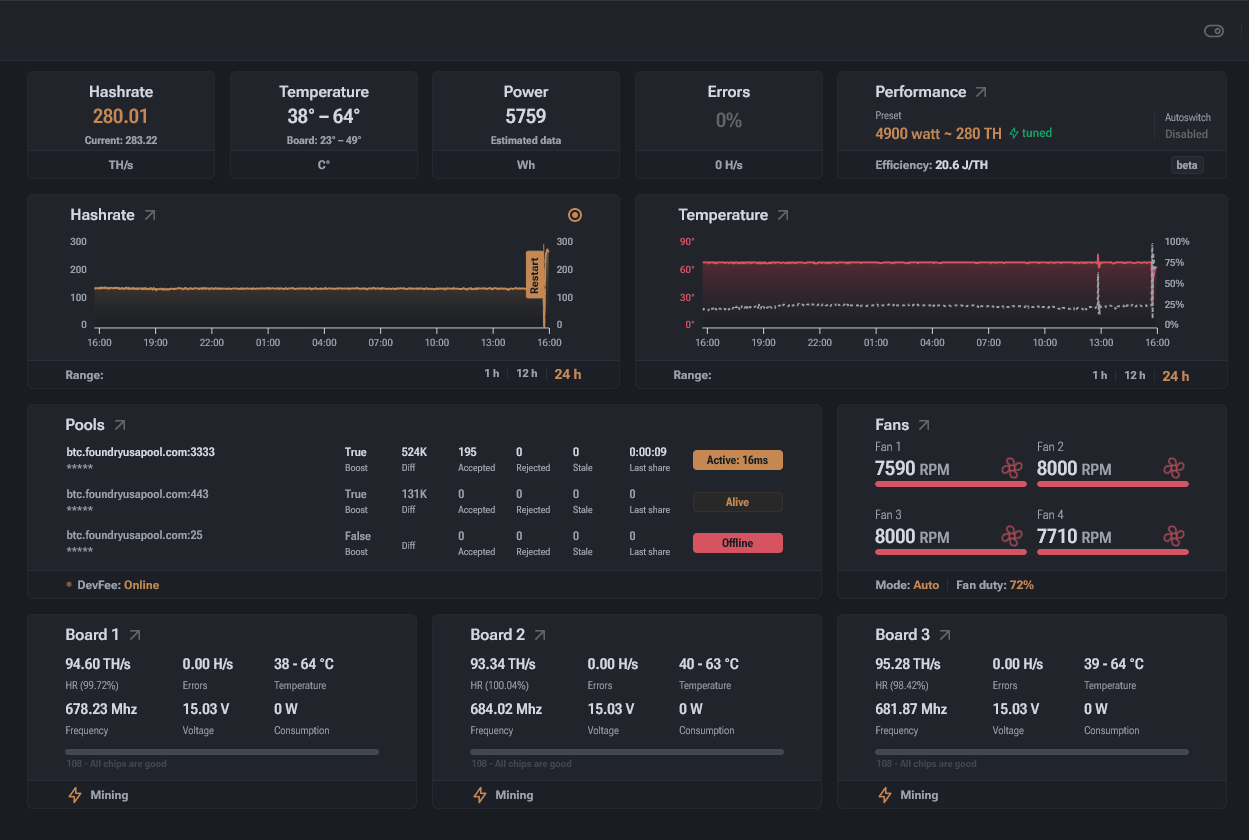
However, VNish requires a careful approach — incorrect parameters can lead to unstable operation.
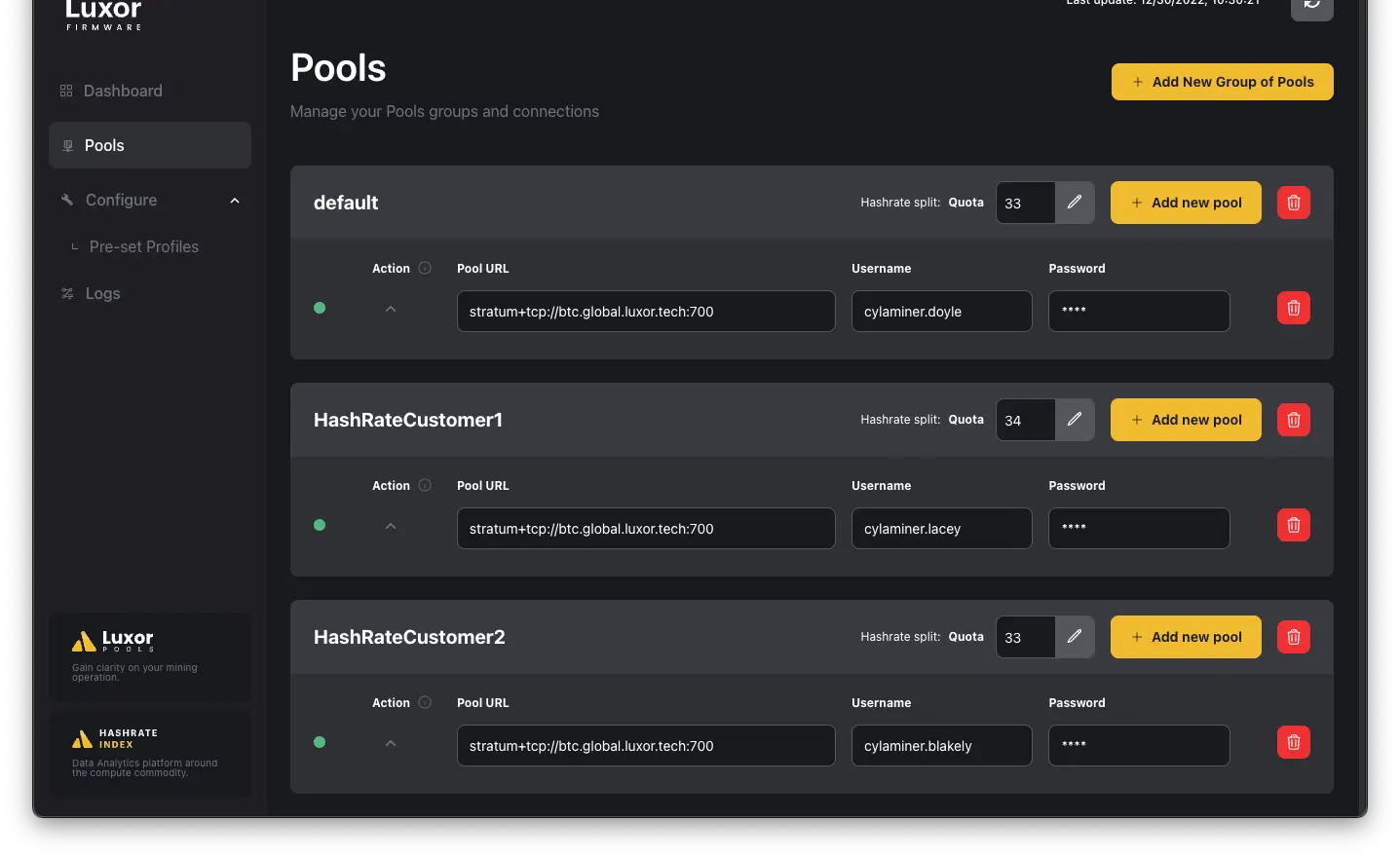
Another option is LuxOS, which is designed for managing multiple devices and small mining farms. LuxOS is often chosen by operators who value remote control, convenient dashboards, and centralized ASIC management.
Finally, it is important to mention the manufacturer’s stock firmware, primarily from Bitmain. The factory firmware shipped with Antminer devices is considered the safest option in terms of risk. It rarely delivers maximum efficiency, but it minimizes errors and is suitable for users who prefer stability over experimentation.
In summary, the picture looks like this: stock firmware offers stability and minimal risk but little optimization. Custom firmware such as BraiinsOS+ or VNish can significantly improve efficiency and power control, but only if you understand what you are doing. In the hands of a beginner, such firmware is like a sports car without an instructor — huge potential, but costly mistakes are easy to make.
That is why new ASIC miners are always advised to first learn the basics, understand mining economics, and only then move on to custom firmware instead of chasing extra hashrate percentages from day one.
GPU Mining Software (Altcoins)
In the pre-2017 era to run a blockchain, generally, you needed a lot of computing power. There were different approaches, but the main approach was to make numerous video cards run in parallel. That’s why GPU prices spiked up the first time — miners hoarded GPUs to earn crypto with them. To get more buck for the bang ASICs were made — single purpose circuits, you can’t run games on them, only math.
Chains that used Proof-of-Work (POW) relied on GPUs and ASICs to do computations. Proof-of-Stake (POS), counterpart to POW, didn’t need video cards to run, at all. After Ethereum, which led in domestic POW mining, transitioned to Proof-of-Stake, GPUs did not disappear, but their role changed.
Today, GPU mining is primarily focused on altcoins. In 2026, graphics cards most commonly mine Kaspa, Ergo, IronFish, Ethereum Classic, and several other projects that still rely on computation-friendly algorithms.
Unlike ASICs, GPUs are universal tools. They can work with different algorithms, which is why they require dedicated mining software. These programs run on Windows or Linux, directly control the GPUs, and “translate” their calculations into a format understood by mining pools and blockchains.
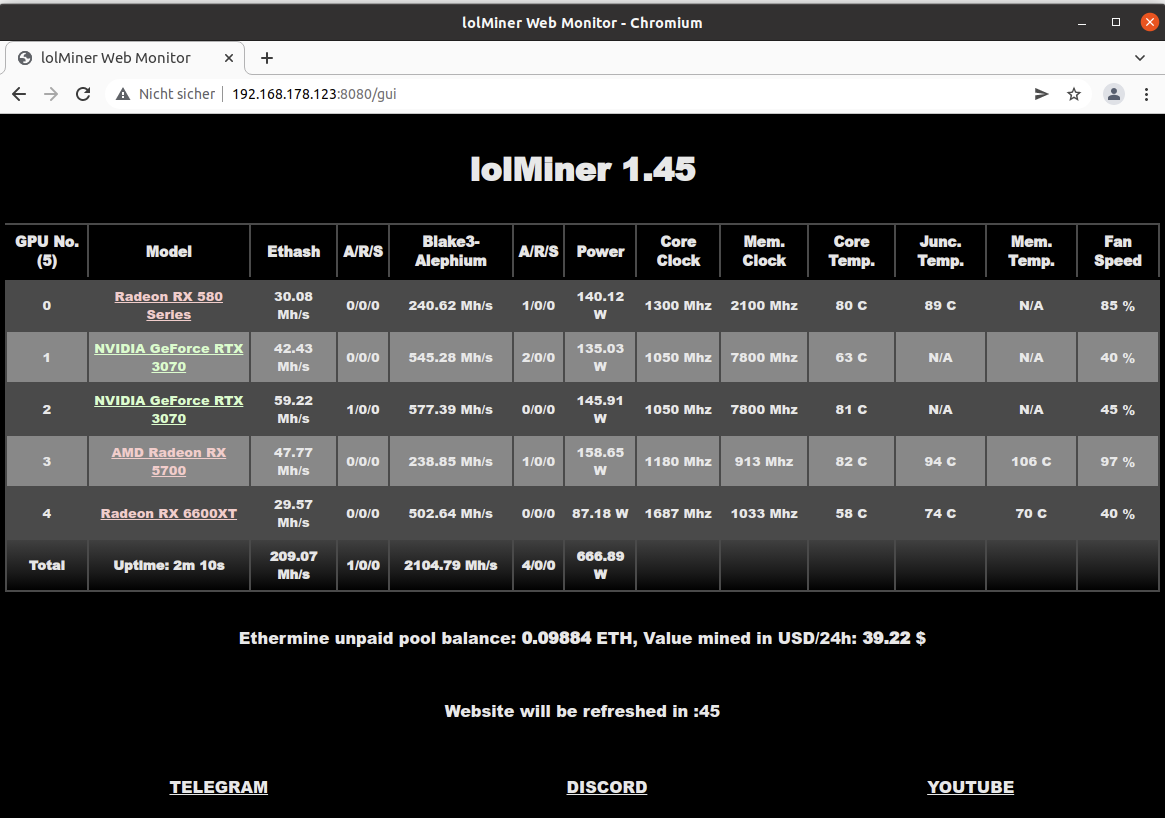
One of the most popular choices in 2026 remains lolMiner. It is often selected by AMD GPU owners, although NVIDIA cards are also supported. lolMiner is valued for its stability, frequent updates, and wide algorithm support — from KHeavyHash (Kaspa) to Etchash and Autolykos.
For miners who want a more versatile solution, BzMiner is commonly used. It is a relatively young but fast-growing miner that supports multiple algorithms and suits those who frequently switch between coins in search of better profitability.
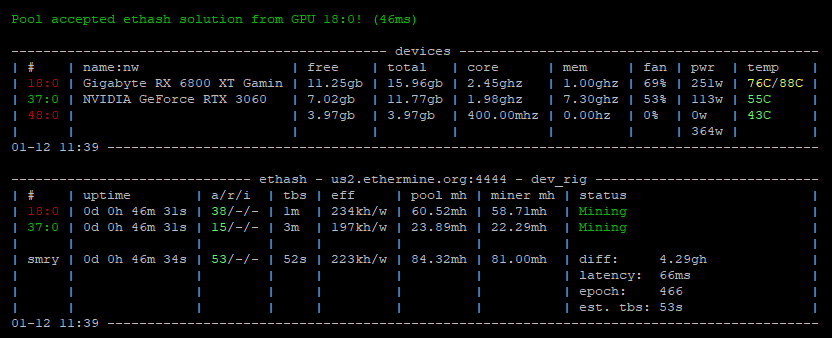
If you use AMD GPUs, especially higher-end models, TeamRedMiner is often preferred. This software is optimized specifically for AMD architecture and frequently delivers better hashrate and stability on supported algorithms. Active developer support is especially important as network difficulty continues to change.
For NVIDIA GPU owners, Gminer remains a classic choice. It is known for strong performance, particularly on newer GPU generations, and for its quick adaptation to new algorithms.
It is important to understand one simple thing: GPU mining is no longer a “set it and forget it” activity. Graphics cards require attention. You need to monitor temperatures, correctly configure overclocking and undervolting, track rejected shares, and regularly check whether the selected coin has become unprofitable due to rising network difficulty.
In this sense, GPU mining is more like maintaining a car than making a bank deposit — if you do not take care of it, you will not get far.
CPU Mining — Rare but Beginner-Friendly
By 2026, CPU mining has become a niche activity. It exists mainly in projects specifically designed for CPU-friendly algorithms, the most famous being Monero. It is important to be honest from the start: Bitcoin cannot be mined profitably on a CPU and never will be. Any claims to the contrary are either misunderstandings or outright scams.
That said, CPU mining remains useful for learning. It is easy to start, does not require expensive hardware, and allows beginners to understand how mining works in practice — from pool connection to hashrate calculation and payouts.
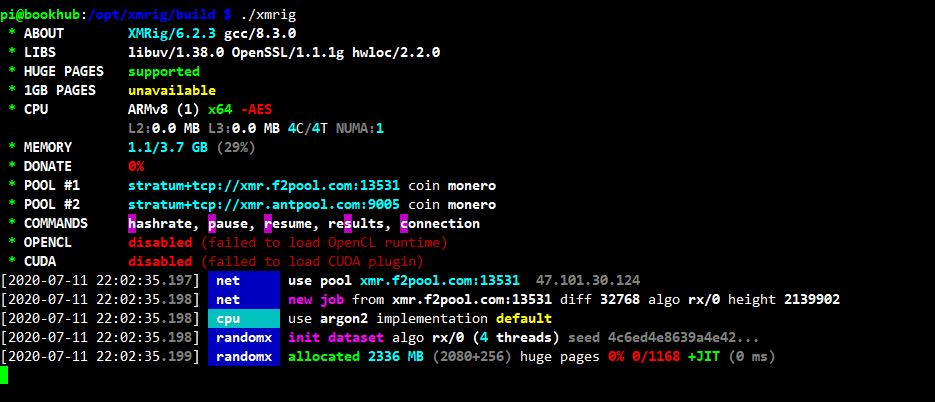
The most common tool here is XMRig, a lightweight and efficient miner for Monero and other CPU-based algorithms. It supports Windows, Linux, and macOS, and allows fine-grained control over CPU threads.
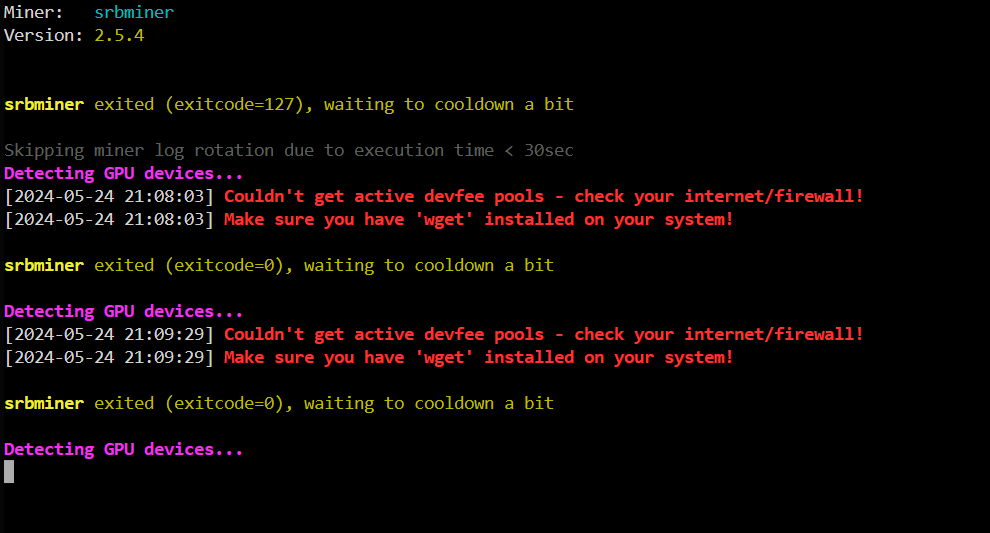
An alternative is SRBMiner, which supports both CPU and GPU mining and is suitable for those who want to experiment with different configurations.
CPU mining is a good training ground. It lets you “touch” mining without risking thousands of dollars. However, it is not a stable income tool — rather, it is a way to understand the mechanics and decide whether to move on to GPUs or ASICs.
Mining Operating Systems and Management Dashboards
When you have more than one GPU or multiple rigs or ASICs, chaos quickly follows. This is where specialized mining operating systems and dashboards come in. They allow you to manage everything through a browser: view hashrate and temperatures, restart miners, and receive alerts.
The most well-known solutions are HiveOS, RaveOS, and SimpleMining. For beginners, HiveOS is often considered the de facto standard.
Mobile and PC Mining Apps — Beware of Myths
It is important to clear up one illusion immediately. A phone or a regular laptop cannot mine Bitcoin profitably. Applications such as NiceHash QuickMiner, Kryptex, or Salad either rent out your PC’s computing power or simulate mining with fixed rewards.
They are acceptable for learning purposes. They are not suitable for serious income. Mobile “miners” are especially dangerous, as they often turn out to be simple data-harvesting schemes.
How Mining Software Works
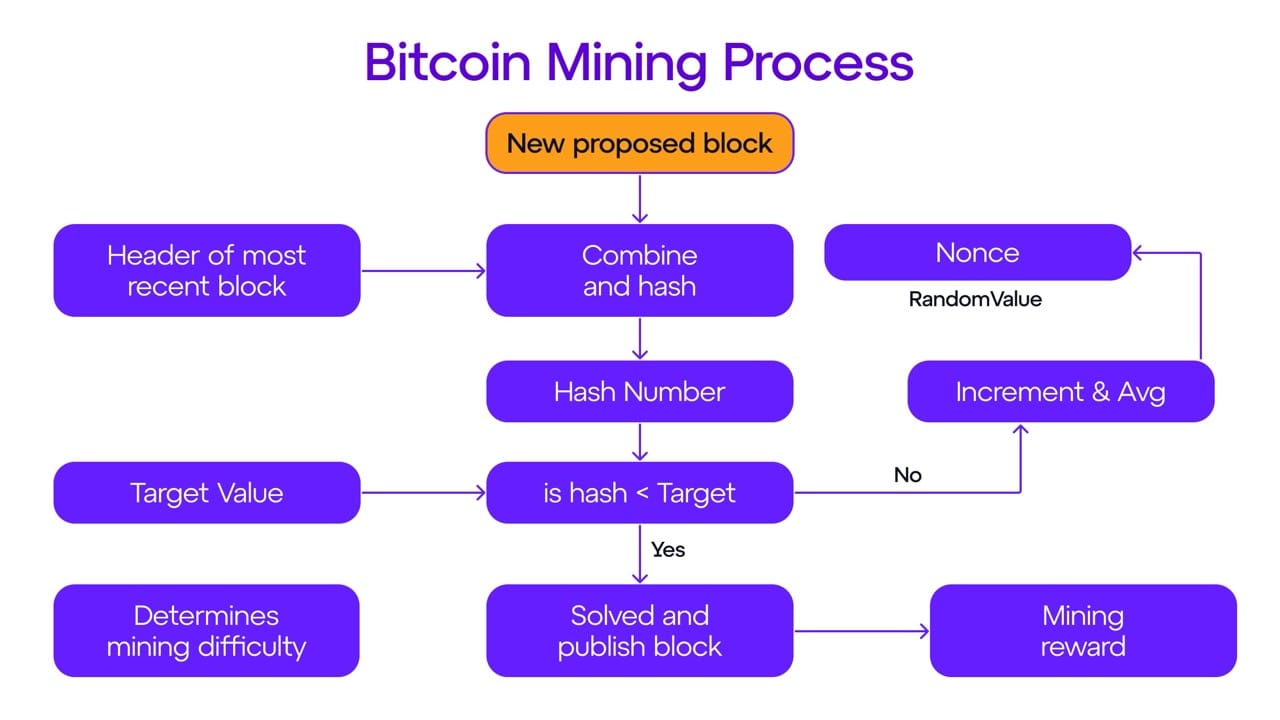
First, the software detects your hardware — GPUs or ASICs — along with their potential and supported algorithms. Then you specify the pool address, worker name, and payout method. After launch, hash calculations begin, shares are sent to the pool, and they are verified.
The most important stage comes next: monitoring. Hashrate stability, rejected shares, temperatures, and power consumption directly affect profitability. Calculating crypto mining profits can be nasty, but you can use a GoMining calculator to tell how much digital miners can yield per month.
Best Mining Software in 2026 — Expert View
BraiinsOS+ remains the benchmark for advanced Bitcoin miners, offering autotuning and improved J/TH efficiency. VNish is chosen for its balance between usability and performance. HiveOS is nearly ideal for GPU farms and beginners. lolMiner continues to hold strong among AMD GPU owners. NiceHash QuickMiner remains the easiest entry point into mining with BTC payouts.
It is also helpful to view mining not in isolation, but as part of a broader set of crypto tools every newbie should know.
How to Choose Mining Software as a Beginner
Before we proceed — here’s why BTC can’t be mined on GPUs:
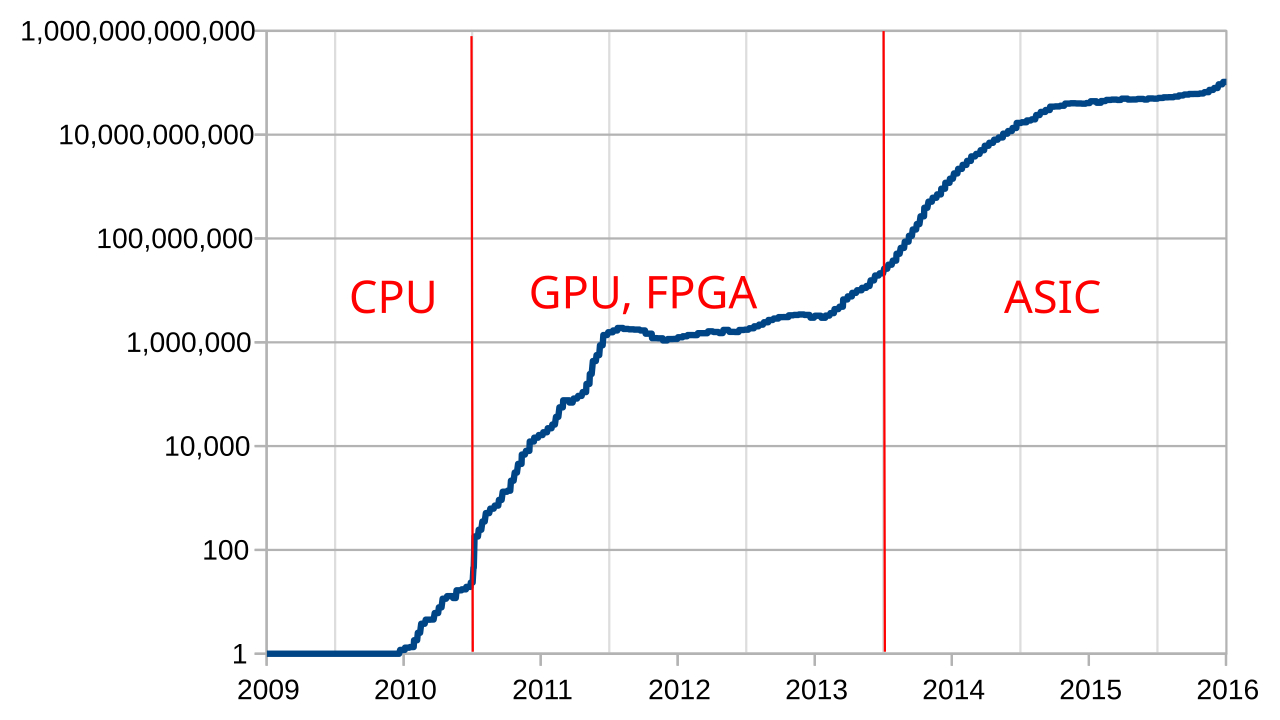
This chart compares hashrate and computing power required for making any profit. Before ASIC’s there was a brief moment in time when FPGA came to life: those are more general-purpose units than ASICs, but still rigid compared to GPUs.
POW Mining is not dead, it’s that not many new blockchains choose to run POW over POS for different reasons. There’s around 600 POW coins according to MiningPoolStats, with around 90 being pre-Exahash (GPU-compatible mining difficulty), and out of those 90 around 7 are commercially viable for large-scale mining operation. GPU mining is still alive, albeit, just less profitable.
The choice always starts with hardware.
- ASICs are exceptionally good at what they do, hard to re-sell and secondhand market, make you their tech support, need firmware tinkering and SHA-256 pools;
- GPUs are all-round workhorses: they are relatively good at what they do, can be re-sold at second-hand markets to recoup the operation costs or used in projects like RNDR for additional profit; GPUs are still profitable, but not as much as ASICs — it boils down to the amount of available POW algorithms and they are dying out: POS is superior in energy efficiency to POW, it’s just how things are;
- POS Nodes are barebone hardware: usually you need a CPU (4 cores and more), a HDD/SSD (256+ GB) and a bunch of RAM (8 to 16 gigs.). For a long while people rented out computing power from AWS or other cloud providers to run POS nodes — it’s a viable strategy, which can work if you get really creative with allowances and computing quotas;
Next comes ease of setup, source security, and community support. The fewer workarounds and pirated builds involved, the higher the chance you will not lose money or equipment.
With GoMining you don’t need to worry about hardware complications. We take care of maintenance, while all you need is to download an app and get your own digital miner.
Security — What Beginners Ignore Most Often
The most common beginner mistake is downloading software from forums or Telegram channels without verification. Malicious miners and firmware can steal hashrate or pool credentials. Never flash ASIC firmware without a backup, and avoid extreme overclocking without proper temperature and power monitoring. Pool accounts should always be protected with two-factor authentication.
FAQ
Do ASIC miners need mining software?
Yes. Without firmware and configuration, an ASIC cannot connect to a pool or mine.
Can Bitcoin be mined with a GPU?
No. In 2026, Bitcoin mining is only viable on ASIC devices (SHA-256), since GPUs can’t keep up with the speed required to do so.
Can crypto be mined on a laptop or phone?
Technically yes, profitably no. It is not a viable income model.
What is easiest for beginners?
HiveOS for GPU mining or NiceHash QuickMiner for a first experience without complex setup.
What is the difference between firmware and a miner?
Firmware is the operating system of an ASIC. A miner is software for GPUs or CPUs.
Why does hashrate fluctuate?
Because of temperature, overclocking, unstable power, and increasing network difficulty.
What is most dangerous for beginners?
Downloading miners and firmware from unofficial websites and Telegram chats.
Is CPU mining profitable?
Generally no. CPU mining is mainly for learning and experimentation.
Is a mining OS mandatory?
No, but with multiple rigs or ASICs it significantly simplifies management.
Why can mining become unprofitable?
Due to high electricity costs, rising network difficulty, and incorrect configuration.