How to Set Up 2FA and Fix a Blocked Withdrawal?
 Adilia
This guide covers two things:
- How to turn on two-factor authentication so you can confirm withdrawals and miner sales at all.
- What to check when a withdrawal still won't complete, in the order that usually resolves it fastest.
Why a withdrawal asks for a second confirmation
Your GoMining wallet is custodial, so balances sit off-chain until you move them out. The moment you withdraw, the transfer goes on-chain, and on-chain transfers are final. There's no chargeback and nothing to recall. That's the whole reason the app puts a second check in front of the confirm button.
Two-factor authentication means a password on its own is no longer enough to move funds or to part with a miner. Someone who gets hold of your password still can't confirm a withdrawal without the code. It's a small amount of friction once, and it's the single most useful thing you can switch on for an account that holds crypto.
There are other checks around a withdrawal too, like identity verification and, in some regions, a short form about the recipient. They're covered further down, because people often mistake them for a 2FA problem.
How to turn on two-factor authentication
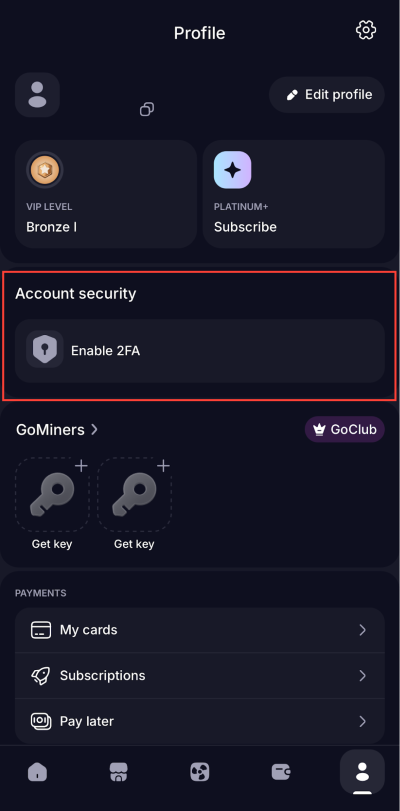
Two-factor authentication lives in Account security in your profile, in the same place as identity verification. You need an authenticator app on your phone for it, and the whole thing takes a couple of minutes once.
1. Open your profile.
2. Go to Account security, the same section that holds identity verification (KYC).
3. Open the 2FA setting. The screen shows a QR code and a setup key: scan the code with your authenticator app, or add the key to it by hand.
4. Enter the confirmation code when the app asks for it. Setup isn't finished until that code goes through, so don't close the screen halfway.
5. Save whatever recovery information the setup gives you. Keep it offline, not in the same place as your password, and not in a screenshot in your photo library.
How it looks in the app
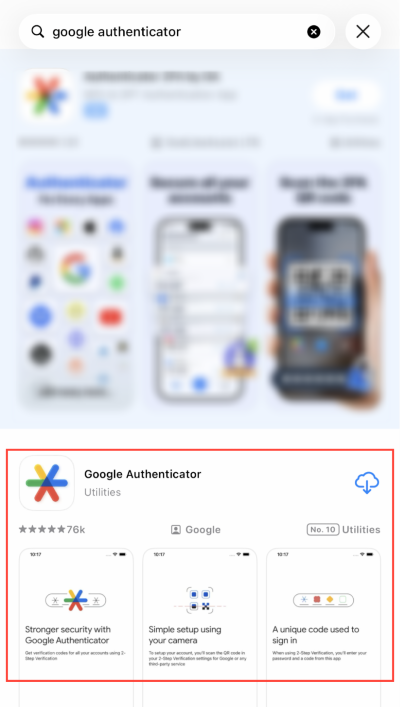
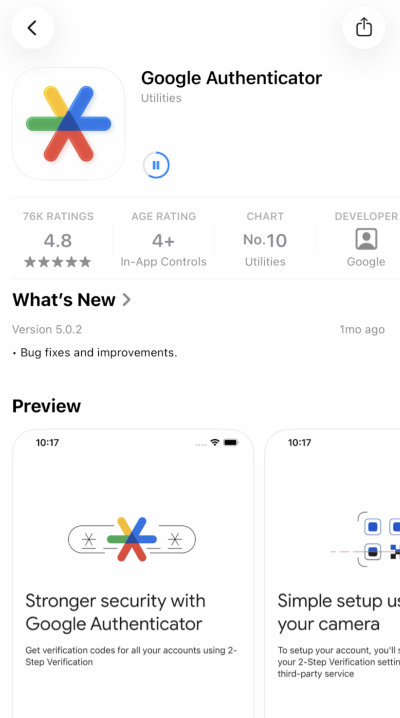
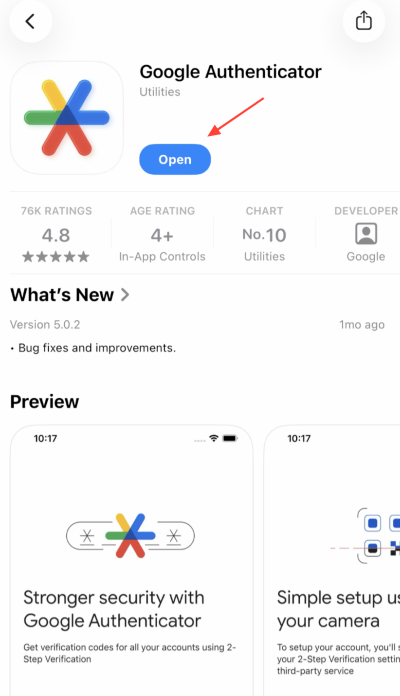
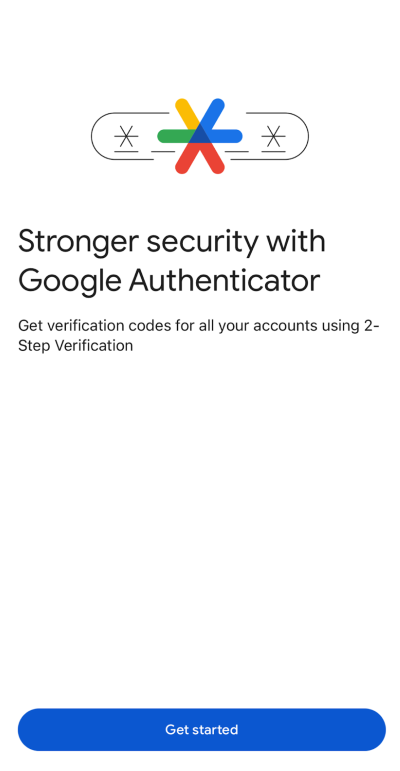
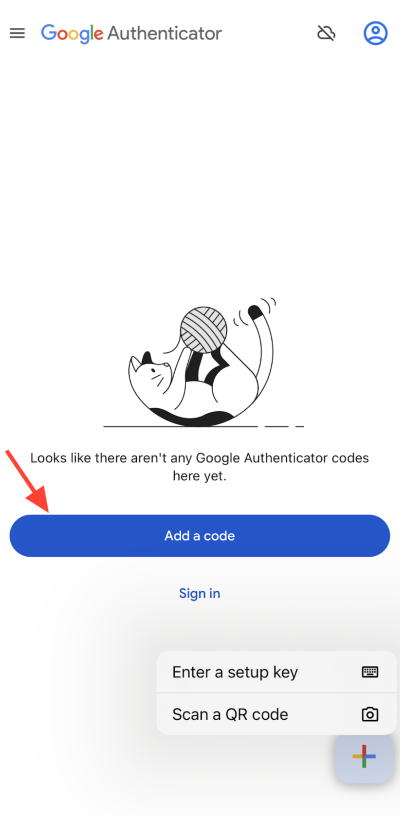
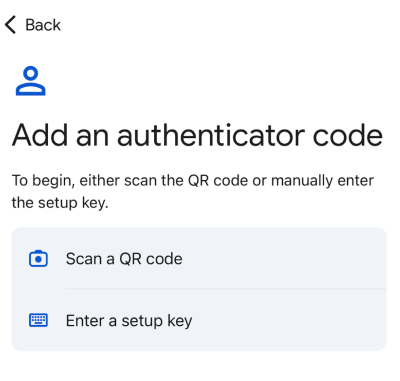
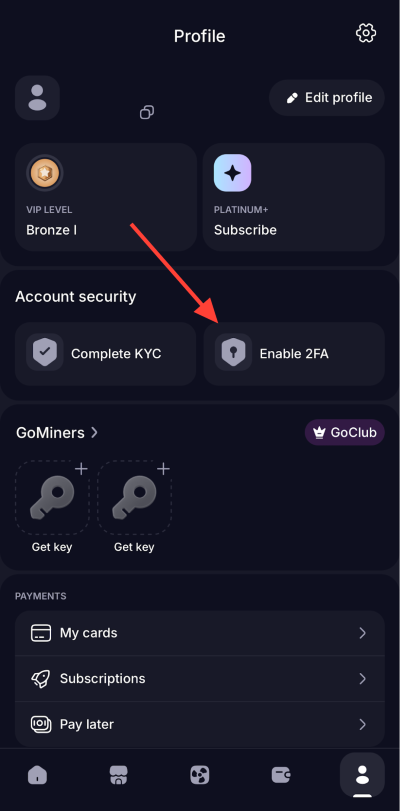
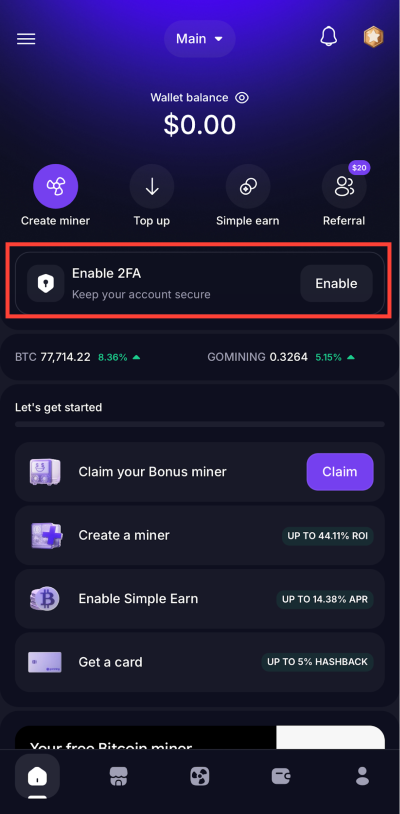
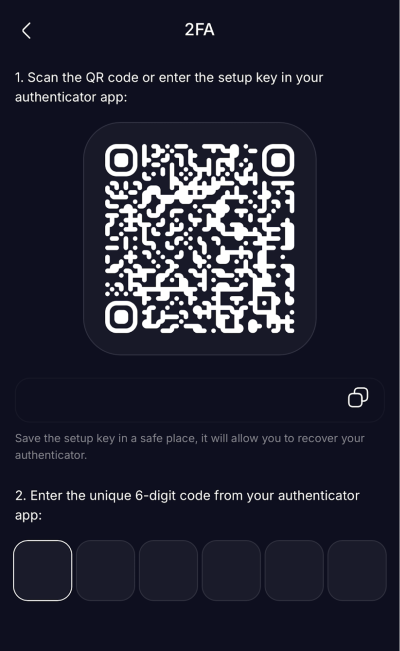
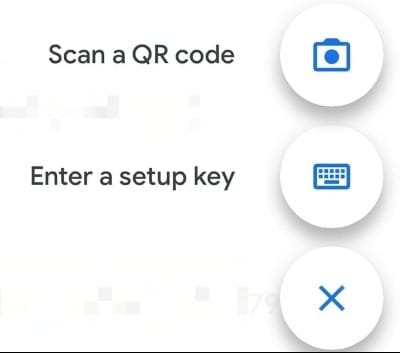
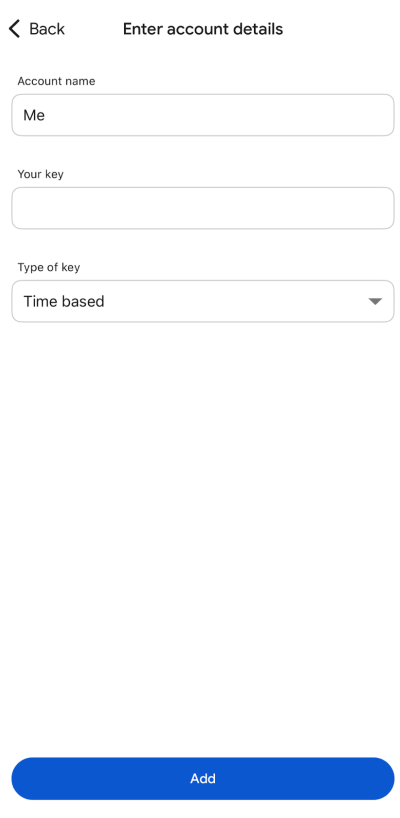
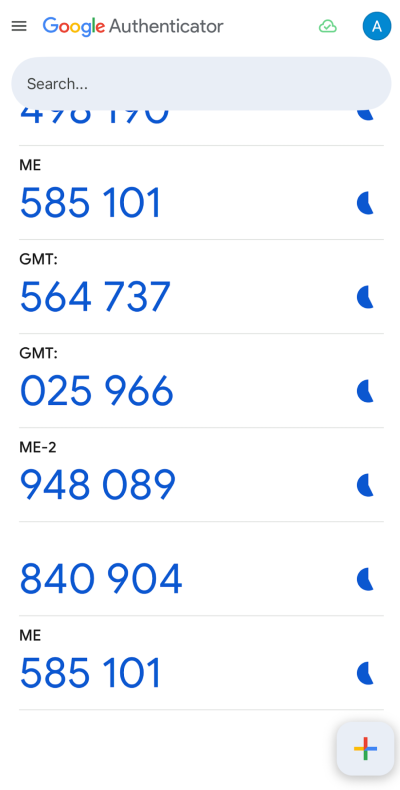
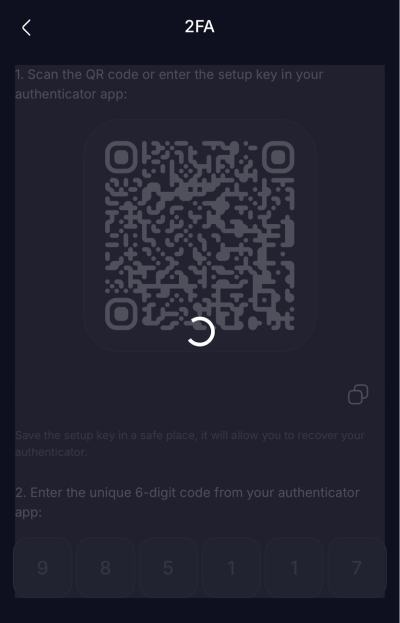
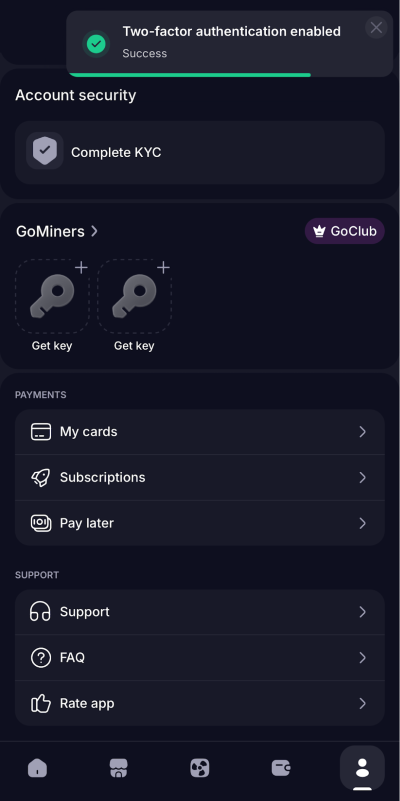
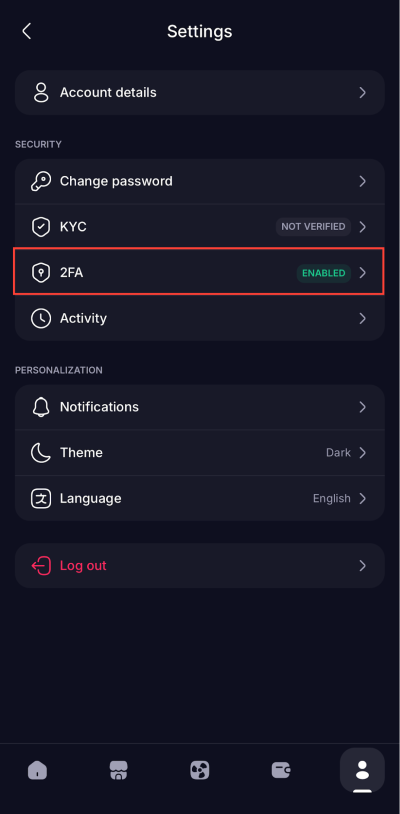
If you're setting this up on a phone, finish the flow in one sitting rather than switching between apps mid-way. Half-finished setups are a common reason the first withdrawal afterwards asks for a code that never arrives.
Confirming a withdrawal, step by step
Once the second factor is on, every withdrawal follows the same short path.
1. Open your GoMining wallet and choose Withdraw.
2. Pick the asset, then the network. The receiving wallet or exchange has to support that asset on that exact network.
3. Enter the destination address and the amount. Paste the address instead of typing it, then compare the first and last characters against the source you copied it from.
4. If a short form about the recipient appears, fill it in. It shows up for users verified in certain regions and asks who owns the destination wallet and whether it's held with a service or by you.
5. Confirm the withdrawal. The security check asks for two codes: the one sent to your email, and the six-digit code from your authenticator app. The withdrawal is only submitted once both go through.
How it looks in the app
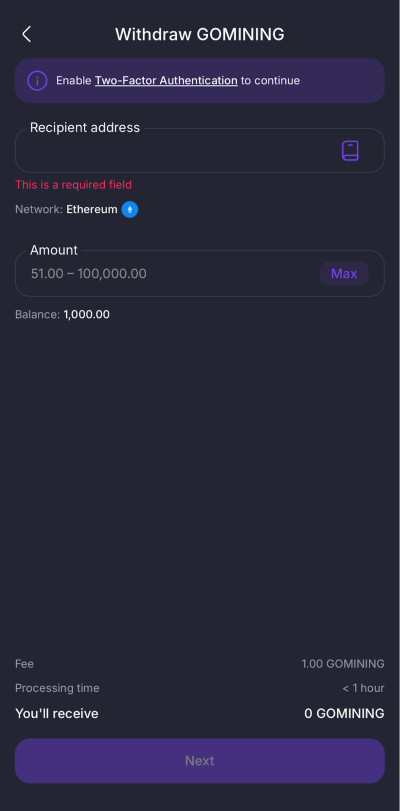
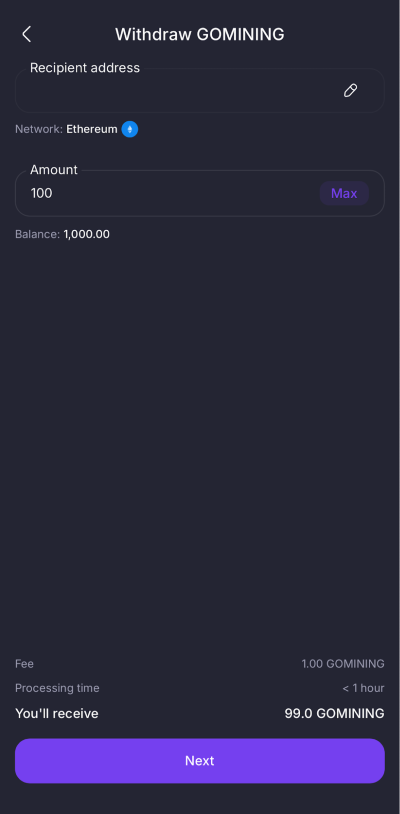
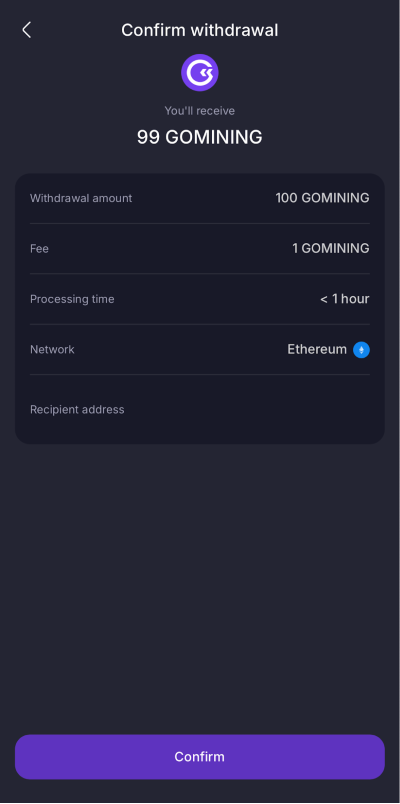
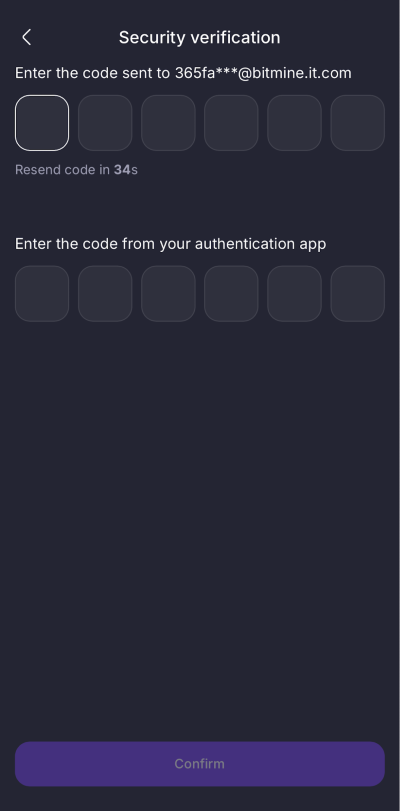
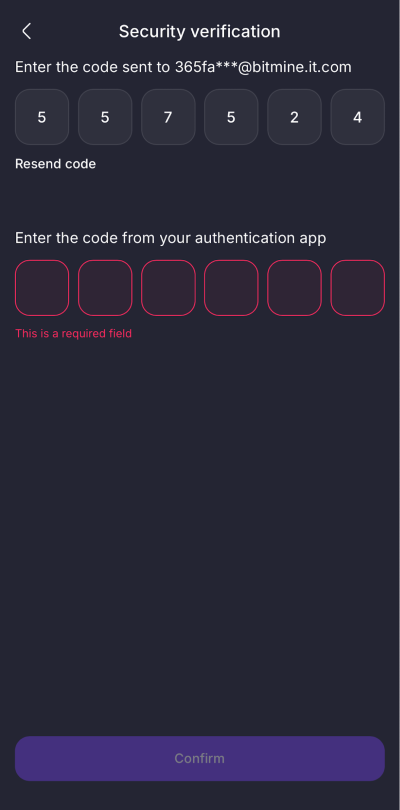
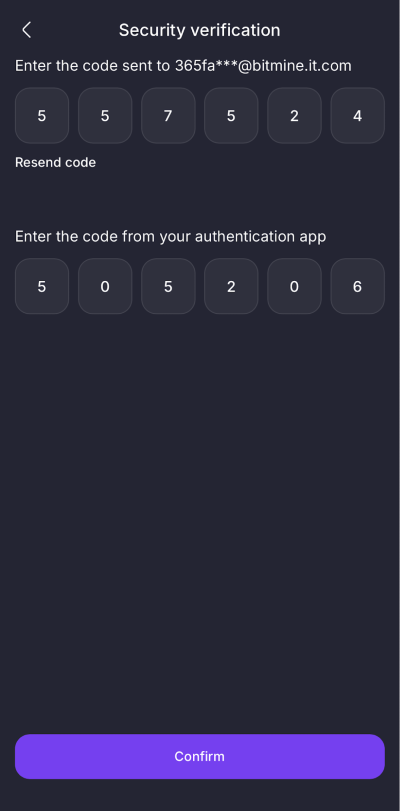
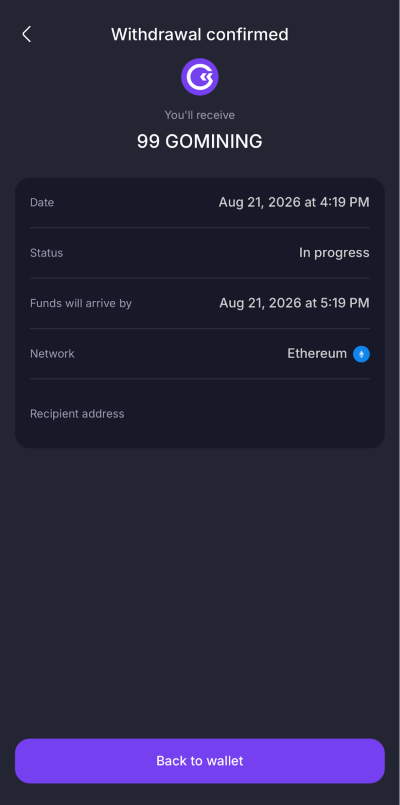
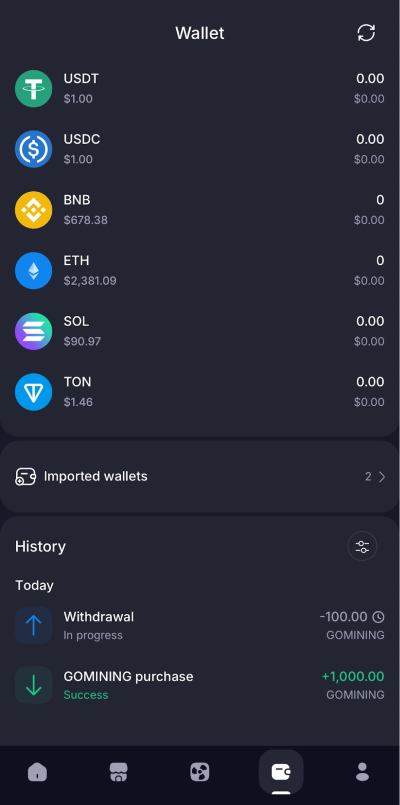
The fee and the minimum amount are shown on the screen before you confirm. Check them there rather than relying on numbers from an article or a chat, because they change with network conditions.
Selling or moving a digital miner
The same code protects your miners, not only your balance. Listing a miner for sale asks for it, and so does sending a miner out of GoMining on-chain. Both actions change who owns the miner, so they sit behind the same check as a withdrawal.
That holds even when nothing leaves the platform. A miner you created on GoMining is held inside your GoMining wallet, and putting it up for sale keeps it there until someone buys it, but the app still asks for the confirmation code before the listing goes live. If two-factor authentication is not set up yet, a listing stops at the same point a withdrawal does.
To sell, open Sell your miner, pick the miner and the price, then confirm with the code. To move a miner out to an external wallet, open Withdraw a miner instead and check the destination address before you confirm. If either screen will not let you finish, the checklist below applies here too, starting with identity verification.
When the withdrawal still won't go through
Work through this list in order. It's roughly sorted by how often each one turns out to be the actual cause.
- Identity verification isn't finished. Withdrawals of crypto from your wallet stay switched off until KYC is complete. If you started it and never got a result, check the status in account details. A verification that failed usually just needs a cleaner document photo.
- For BTC, you don't own a miner created on GoMining yet. BTC rewards become withdrawable once you own a digital miner created on the platform. If every miner in your farm came from the secondary market or was imported from somewhere else, BTC withdrawals stay unavailable no matter how much you've earned. Creating one primary miner on the marketplace opens it.
- The confirmation code doesn't arrive or isn't accepted. Give it a minute, check the spam folder if it comes by email, then request a new one instead of retrying the old code. Codes expire, and an expired code fails the same way a wrong one does.
- The recipient form didn't pass. If a regional form appeared and something in it didn't match, the withdrawal stops and the amount goes back to your balance. That return is the system working correctly, not a lost transfer. Start again and make sure the recipient details match the receiving account exactly.
- Another withdrawal is still in progress. Only one withdrawal is processed at a time. Wait for the current one to finish or fail before starting the next.
- The amount is below the minimum or above the daily limit. Both are per asset, and both are shown on the withdrawal screen. A round number that worked last month may sit under a changed minimum today.
- A compliance review is holding it. Transactions are monitored, and occasionally one is held for a routine check. You may be asked for a supporting document. It's a standard safeguard rather than an accusation.
If none of that applies, open a support ticket from inside the app and attach your GoMining ID, the asset and network, the amount, and a screenshot of the screen where it stops. Everything in one message saves a round trip.
If you lose access to your second factor
A new phone, a wiped device, or a deleted app can leave you without a way to produce the code. Recovery runs through GoMining support, from the account you're locked out of, so start there rather than creating a second account.
One rule matters more than the rest here. Nobody from GoMining will contact you first offering to restore access, and real support will never ask for your password, your two-factor codes, your seed phrase, or your private keys. Anyone who does is a scammer, whatever their profile picture says.
Habits that keep the account safe
A code is only a second factor while you're the only person who sees it. Don't read it out on a call, don't paste it into a chat, and don't type it into a page you reached from a link someone sent you.
Two things are worth knowing about how scams around withdrawals actually work. Address poisoning puts an address that looks almost identical to yours into your transaction history, hoping you'll copy it later, so pick destinations from a trusted source rather than from history. And phishing messages imitate GoMining support closely. GoMining never messages users first, and official announcements live at t.me/GoMining.
The Academy product guides cover the wider withdrawal routine and crypto safety in more depth if you want to go further.
FAQ
Is two-factor authentication optional?
For logging in, you may get by without it, but confirming a withdrawal requires it. If you plan to move funds out at any point, set it up before you need it rather than in the middle of your first withdrawal.
The amount left my balance and then came back. Did I lose it?
No. When a check around the withdrawal doesn't pass, the held amount returns to your balance. Nothing went on-chain. Fix whatever the failed step was and try again.
I passed KYC, but BTC withdrawal is still unavailable. Why?
Most likely you don't own a digital miner created on GoMining yet. Miners bought on the secondary market or imported from elsewhere don't unlock BTC withdrawals on their own.
Can I run two withdrawals at once?
No. One is processed at a time. Starting a second before the first finishes is a common reason the app appears to do nothing.
Will support ever ask me for my code?
Never. Any request for a two-factor code, a password, a seed phrase, or a private key is a scam attempt, including one that arrives right after you post about a stuck withdrawal in a public chat.
How long should a withdrawal take?
It depends on the checks around it and on the network you chose, and network congestion isn't something GoMining controls. Current processing times and fees are shown in the app at the moment you withdraw.
Do I need the code to sell a miner?
Yes. Listing a miner for sale asks for the same two-factor code, and so does moving a miner out on-chain. Ownership changes hands either way, so the check is the same one you get for money.